
One real business, from a customer's problem to Pitch Day.
Six chapters that carry a team of founders through the work real founders do: interview customers, build and test a prototype, run the numbers, launch a brand, write the plan, and pitch it to an outside panel. Every chapter ends with a Founder File, and the six files become the business plan.
Grade 10, one semester or a full year. Pre-teaches the College Board's AP Business with Personal Finance framework. Built by the teacher who wrote the Personal Finance course.
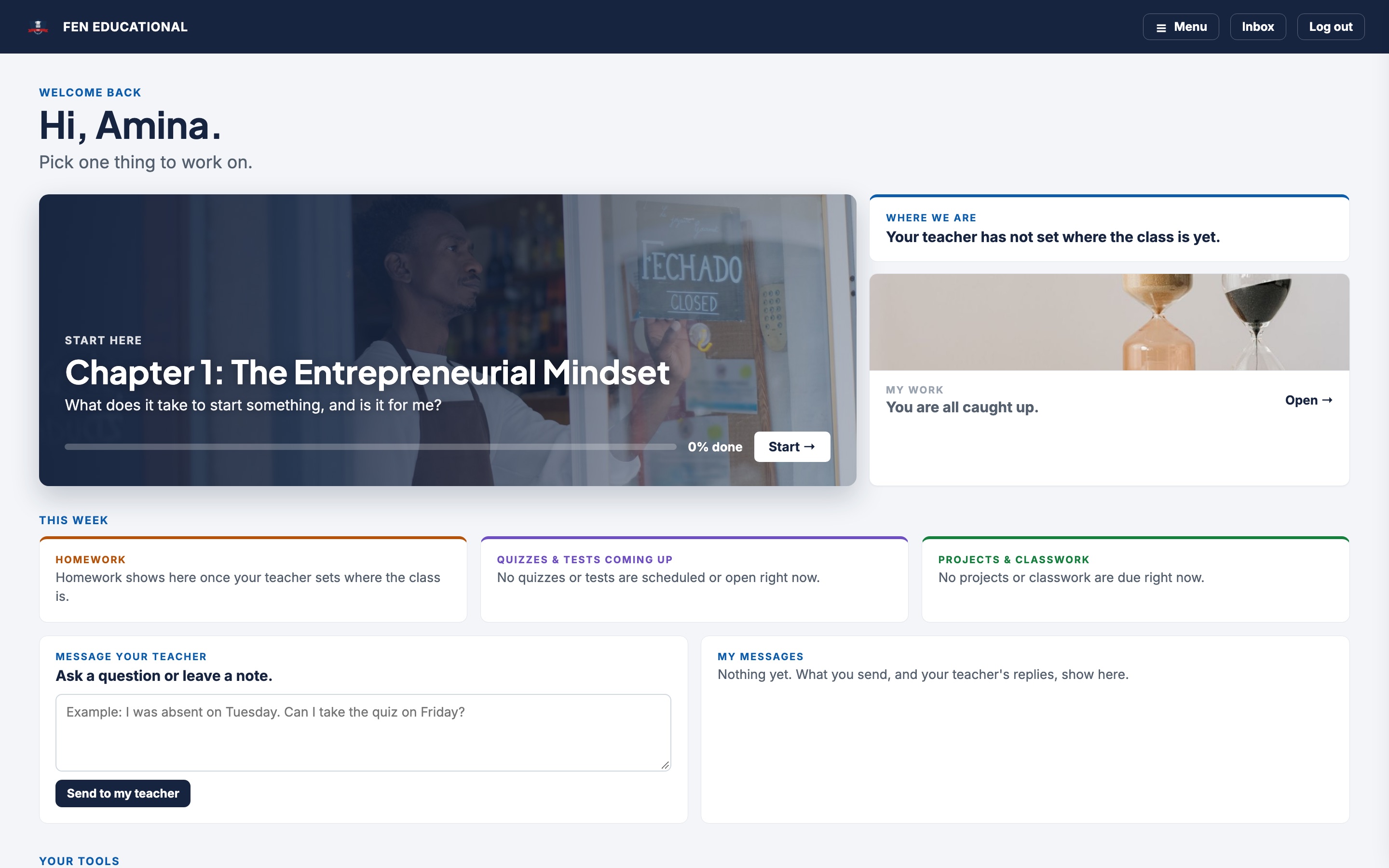
A venture of their own, with the tools founders actually use.
Students form a team of one, two or three in the Reader, pick a role (Product, Marketing or Finance), and carry one idea through the whole course. A running example, a three founder juice stand at a Saturday soccer league, shows every step with real numbers.
Interactive reader
Short lessons written as stories, with a Lean Canvas you can read, a break-even calculator, pitch slide mockups, worked examples, sorters, and a glossary on every page. Real photos on every lesson.
Founder Files
One per chapter: a founder profile and team charter, a problem brief built on five customer interviews, a canvas and prototype, the numbers, a brand and launch plan, the plan and pitch. Team parts are shared; each founder's part is their own.
Business Tools Labs
Six labs in Word, Excel and PowerPoint, with Google Docs, Sheets and Slides steps alongside, and a starter file for each: an interview tally, a numbers workbook with a live break-even, a brand guide, a pitch deck.
My Venture and teams
Create a team with a six character code, choose roles, keep the venture's name and idea in one place. The Portfolio screen shows every founder where the team stands on all six files.
Checks, quizzes, tests
A Check for Understanding after every lesson, two quizzes and a test per chapter, a case study with Discuss and Decide questions, and a Founder's Notebook prompt after each lesson.
Pitch Day and certificate
Six minutes to pitch, four of questions from a panel of local business owners, classmates voting as investors, results published to the class. Pass the tests, hand in the files, and download a signed certificate.
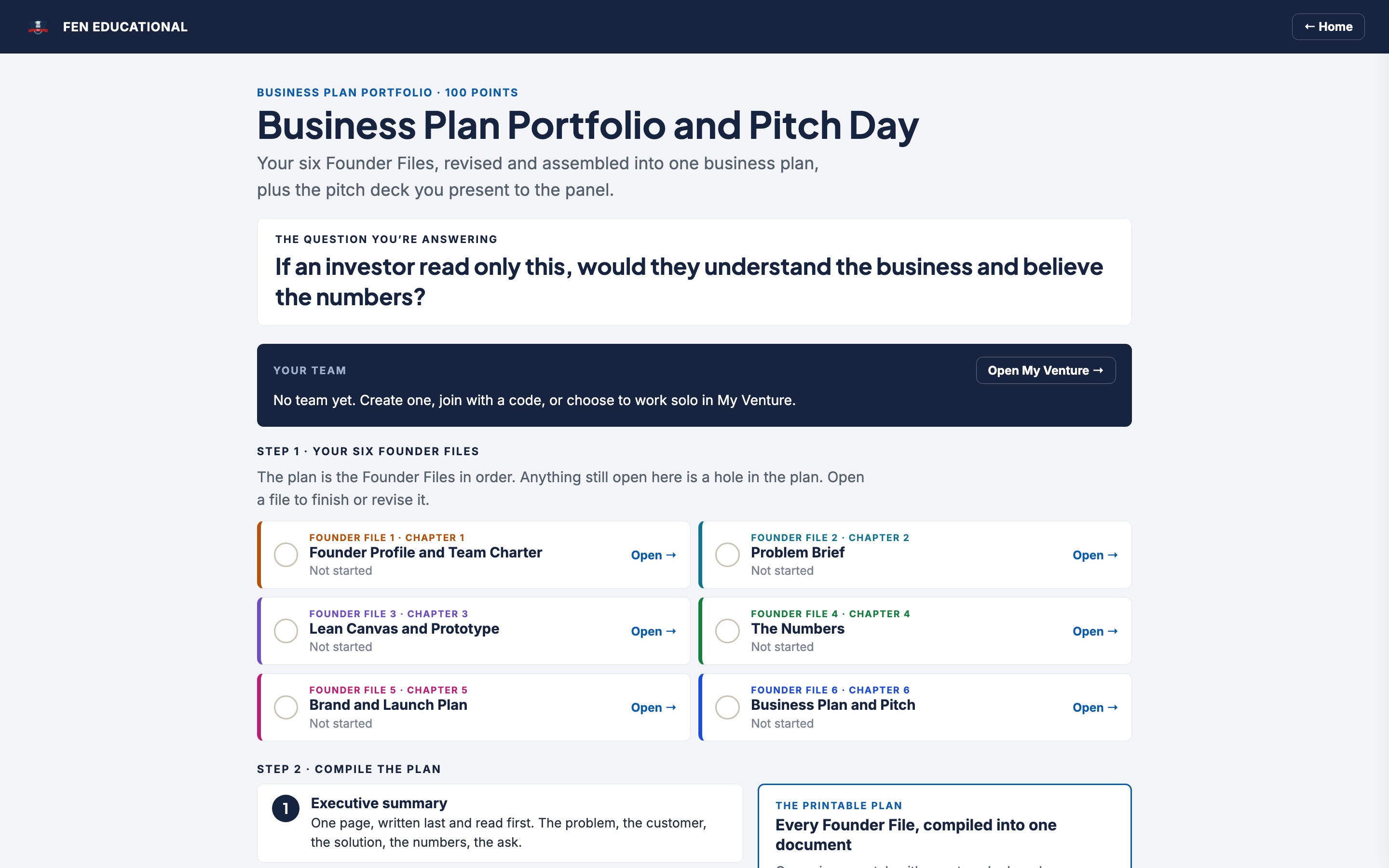
Six files in, one business plan out.
The Portfolio screen assembles every Founder File into a printable business plan, in the order an investor reads it: executive summary, the plan, the team, the deck, the post-mortem. Students hand in the Word plan and the PowerPoint deck in the same place.
- Resubmit until the deadlineFounder Files and the portfolio stay open until the teacher locks them. Feedback comes back with the rubric levels marked.
- Shared where it should beA plan or deck one founder uploads shows for the whole team. Each founder's executive summary and post-mortem are their own.
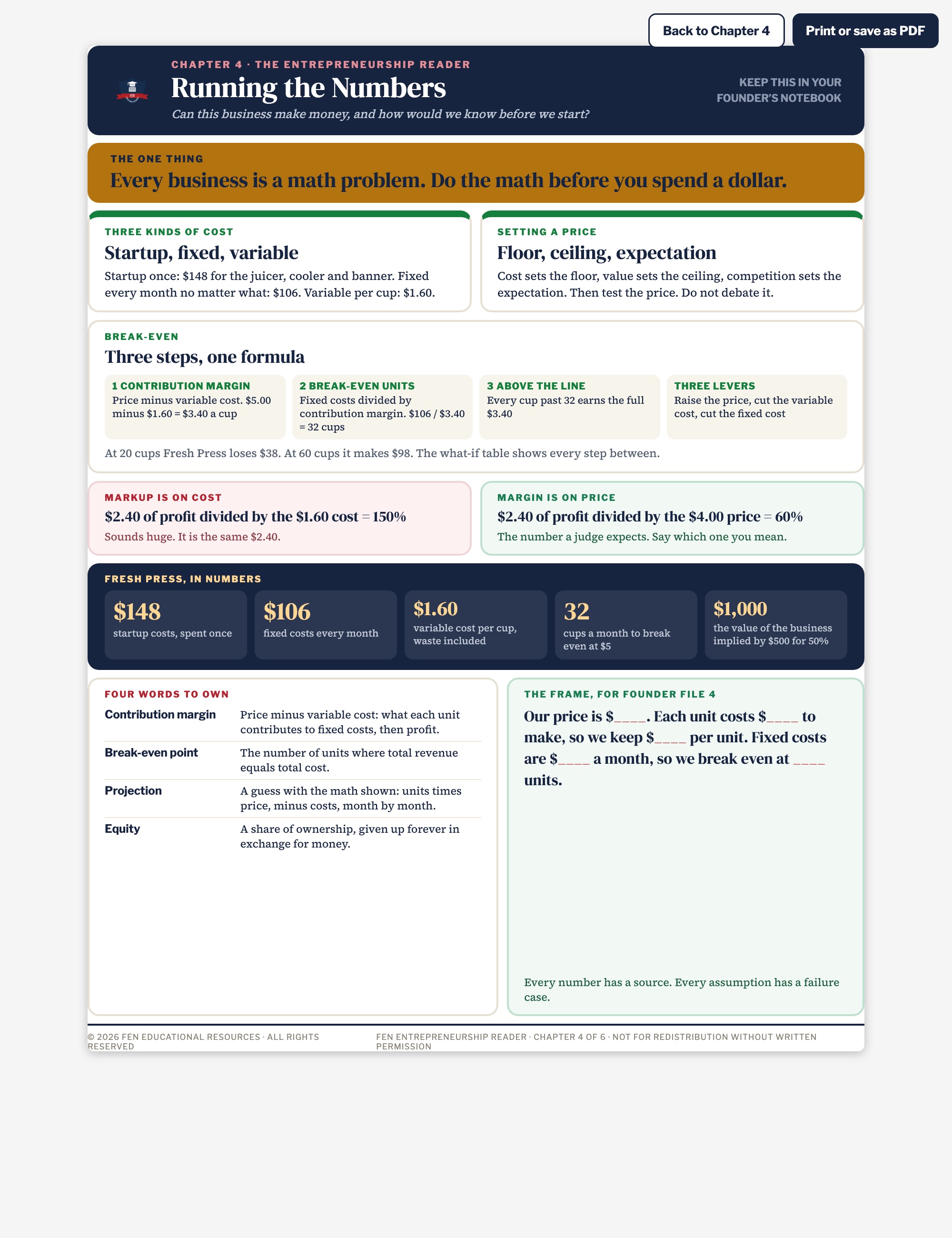
- The numbers that winChapter 4 teaches costs, price, break-even and a six month projection; Chapter 6 puts projected against actual on the slide every judge asks about.
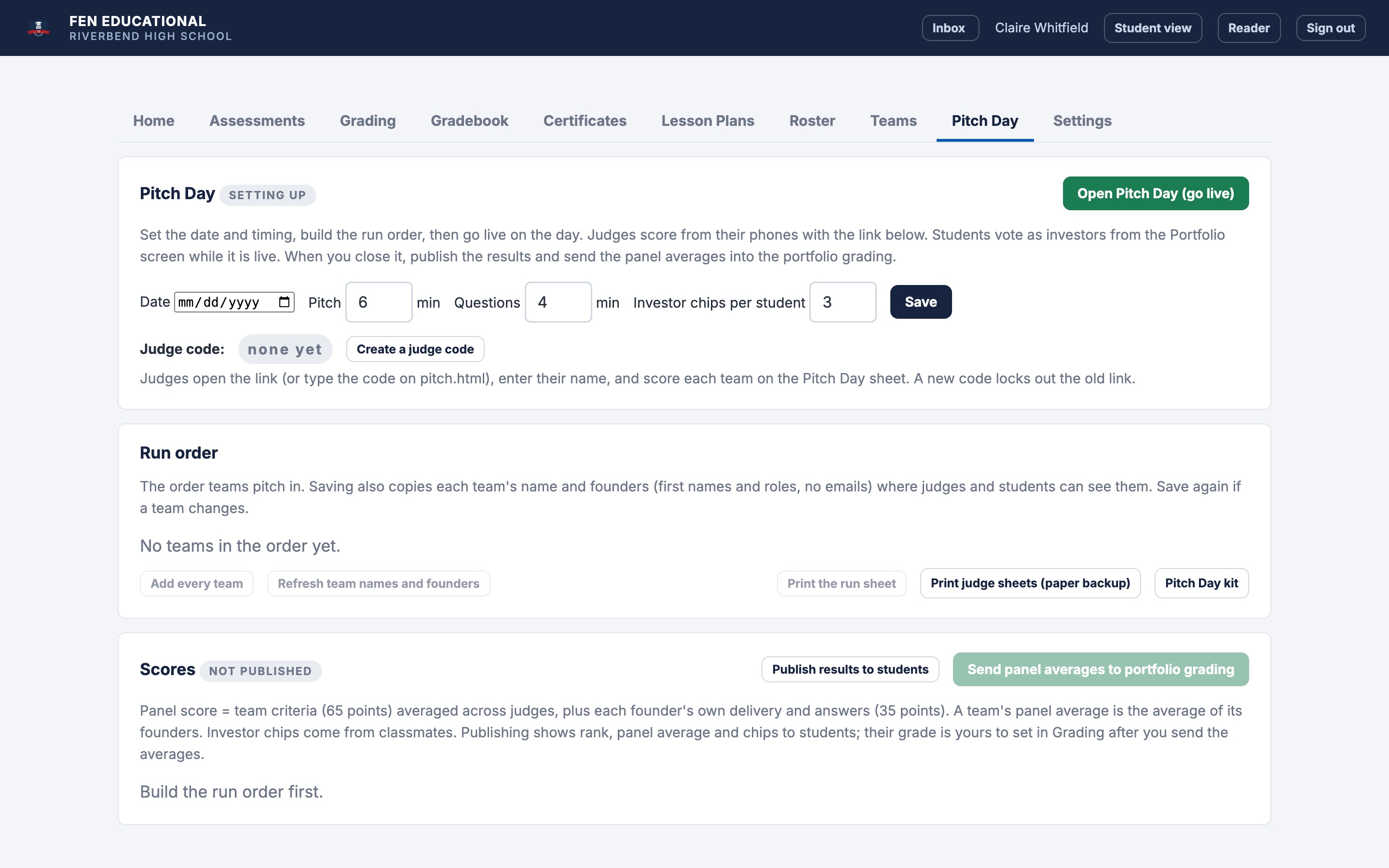
Grades stay individual. Pitch Day runs itself.
Every rubric criterion is tagged TEAM or ME. The teacher scores a team's shared work once and copies it across the team, then scores each founder's own part. The Pitch Day tab builds the run order, runs the clock, collects the panel's scores from their phones, publishes results, and writes the panel averages into each founder's grading for the teacher to review.
- One click course setupCreates every Founder File, case study, notebook and the portfolio for the school. Quizzes and tests import from the private answer key files.
- Judges on their phonesA judge code and a link. Panel members enter their name and tap a level for each criterion and each founder. Paper sheets as backup.
- Teams tabSee every team and role, move a student, split a team, or build teams from the roster.
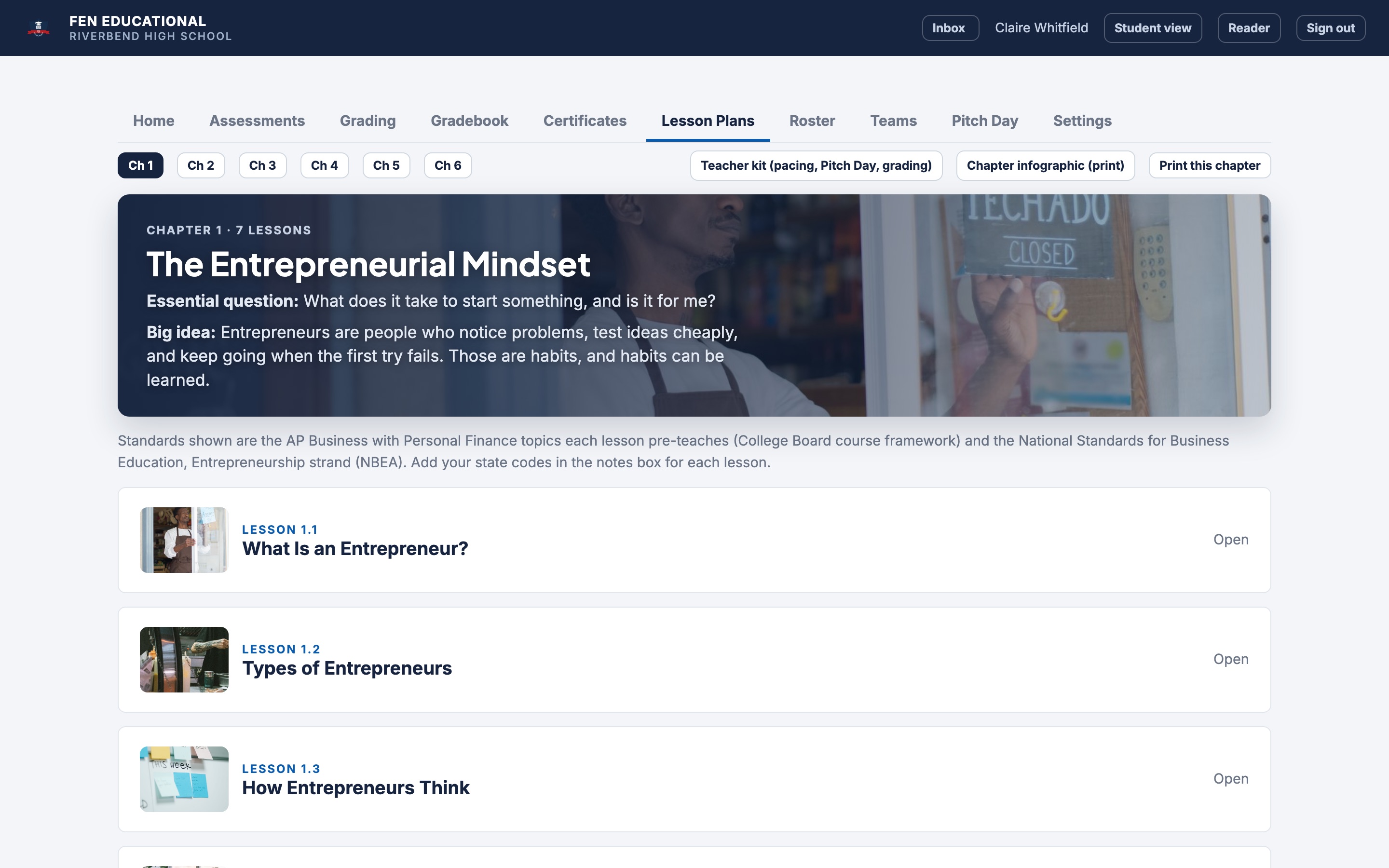
Everything a first year teacher of the course needs.
Every lesson has a 90 minute plan with minutes on each step (so it splits into two 45 minute periods), objectives, the AP framework and NBEA standards it pre-teaches, vocabulary, an exit ticket, homework, and teaching notes: differentiation, group work with roles, discussion, misconceptions, quick checks.
- PrintablesA one page infographic per chapter, pacing guides for a semester and a full year, the Pitch Day kit (run sheet, panel invitation letter, audience ballot, room setup, post-mortem prompts), a team formation guide and a grading policy.
- Rubrics on screenSix Founder File rubrics, the Pitch Day sheet and the lab rubric, visible to students in the Reader and to the teacher while grading. AI suggested scores the teacher reviews.
- DECA connectionsEach chapter names the DECA event it feeds. A team's portfolio is a written event entry with little extra work.
One venture, in order.
Each chapter opens with an essential question and ends with a Founder File, a Business Tools Lab, a case study, a DECA connection and a test. Schools can switch on optional Faith & Business sections and a full year pacing mode.
Grade 9, grade 10, then AP.
Personal Finance in grade 9, Entrepreneurship in grade 10, and the College Board's AP Business with Personal Finance in grade 11 or 12. The alignment document maps every Entrepreneurship lesson to the AP framework topics it pre-teaches, shows how each Personal Finance chapter returns at the scale of a business, and lays out scheduling models and what a school needs.
AP is a trademark registered by the College Board, which was not involved in the production of, and does not endorse, these courses.
Same sign-in as Personal Finance. Same dashboard.
- Students sign in with Google. Your school's Google domain gives every student access. Schools without Google accounts get an access code instead.
- Teachers press one button. Set up the course, import the quizzes and tests, set deadlines, unlock the first chapter.
- Microsoft or Google. The Business Tools Labs are written for Word, Excel and PowerPoint first, with Google Docs, Sheets and Slides steps beside them.
- Your settings, your school. Semester or full year pacing, Faith & Business on or off, your name on the certificate, your panel on Pitch Day.

Adding entrepreneurship this year?
Ask for a demo, pilot the course with one class, or get a quote for the whole pathway.